Music production
OpenDAW
An open-source DAW with the workflow professional producers already know.
- Windows
- macOS
- Linux
Open source under the GPLv3. Buy the ready-to-use installer or build it yourself from the source.
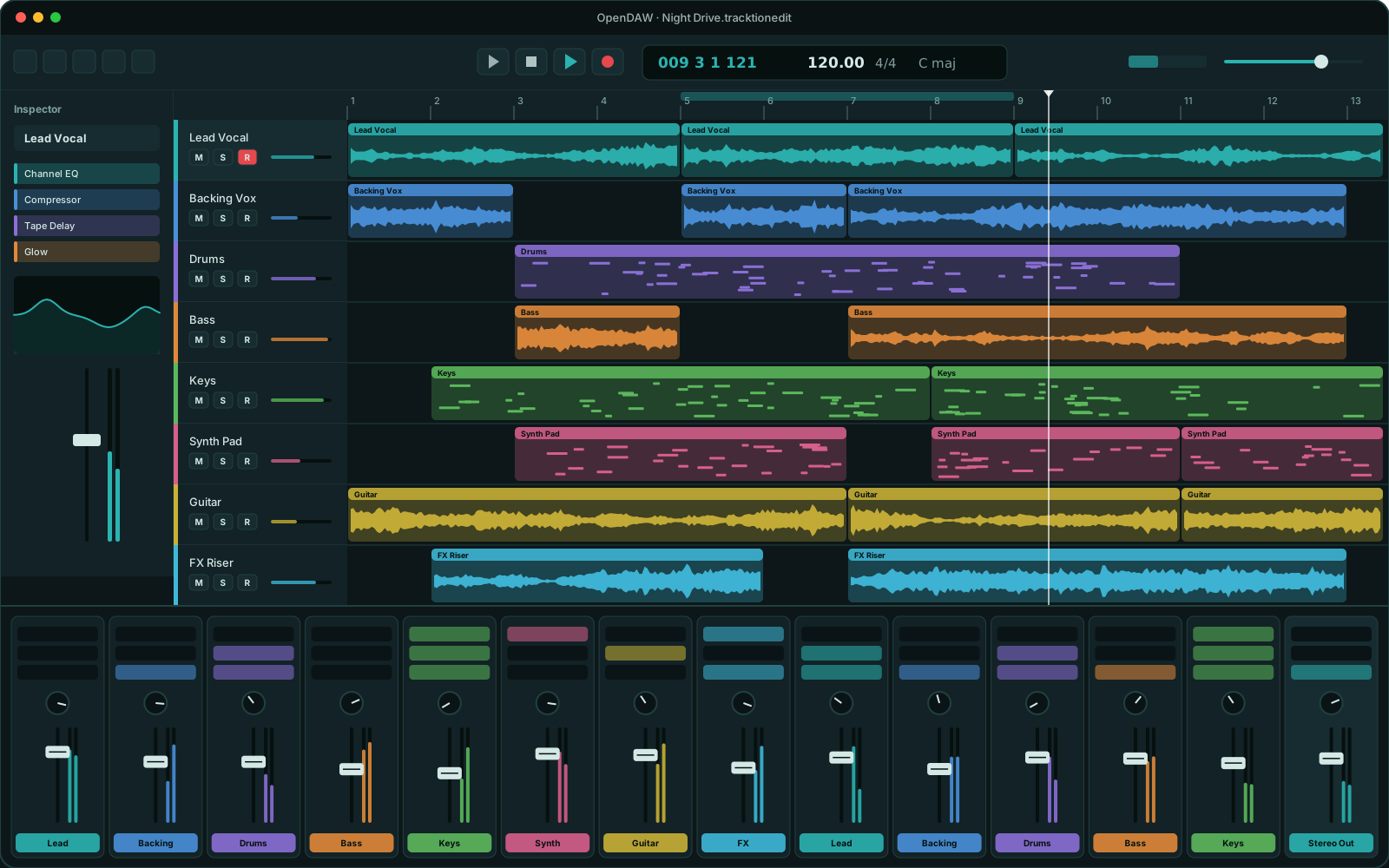
OpenDAW is a desktop digital audio workstation designed around the workflow that professional producers already know: an arrange view with an inspector, a long-fader mixer, a piano roll, elastic audio, a clip launcher and AI-assisted tools.
It’s written in modern C++20 on top of JUCE 8 and Tracktion Engine, the same engine family that powers commercial DAWs, and it runs on Windows, macOS and Linux with any ASIO, WASAPI, CoreAudio, ALSA or JACK interface.
OpenDAW is open source under the GPLv3. The full source code lives on GitHub and anyone can build it. We’ll also sell a signed, tested installer that’s ready to use and includes updates. Buying it is the easiest way to get started, and it funds the project’s development.
Features
What's inside
Recording and comping
Record takes into take folders and build the perfect performance by swiping across the best parts of each one.
Piano roll and automation
Edit MIDI in a piano roll with an event list, velocity and controller lanes, and track or region automation.
Elastic Time and Pitch Editor
Fix timing and tuning directly on audio regions, with transient detection and high-quality time-stretching.
A real mixer
Long faders, inserts, pre and post-fader sends, aux buses, track groups and VCAs, with automatic latency compensation.
VST3 and CLAP plug-ins
Host your favorite instruments and effects. Plug-ins are scanned out of process, so a crashing plug-in never takes the app down.
Built-in instruments and effects
Channel EQ, a compressor with seven characters, limiter, tape delay, pedalboard, a sampler with SFZ and SF2 support, a drum kit designer and the 4OSC synth.
Clip Launcher and Step Sequencer
Sketch ideas in a grid of clips, trigger them live, and program beats and patterns step by step.
Chord track and Players
Write a chord progression once and let rule-based Players generate drum, bass and keyboard parts that follow it.
Stem separation and Master Assist
Split a mixed recording into vocals, drums, bass and other stems, and get a measured mastering chain as a starting point.
Score and expression
View and export your music as notation to PDF, with MPE, articulation sets and a built-in MIDI Scripter.
Make it yours
Tint the whole interface with the color you choose. HiDPI-ready and accessible, with editable key commands.
Works with your interface
Low-latency audio through ASIO, WASAPI, CoreAudio, ALSA and JACK, with any audio interface you already own.
Gallery
A closer look
Arrange view and mixer 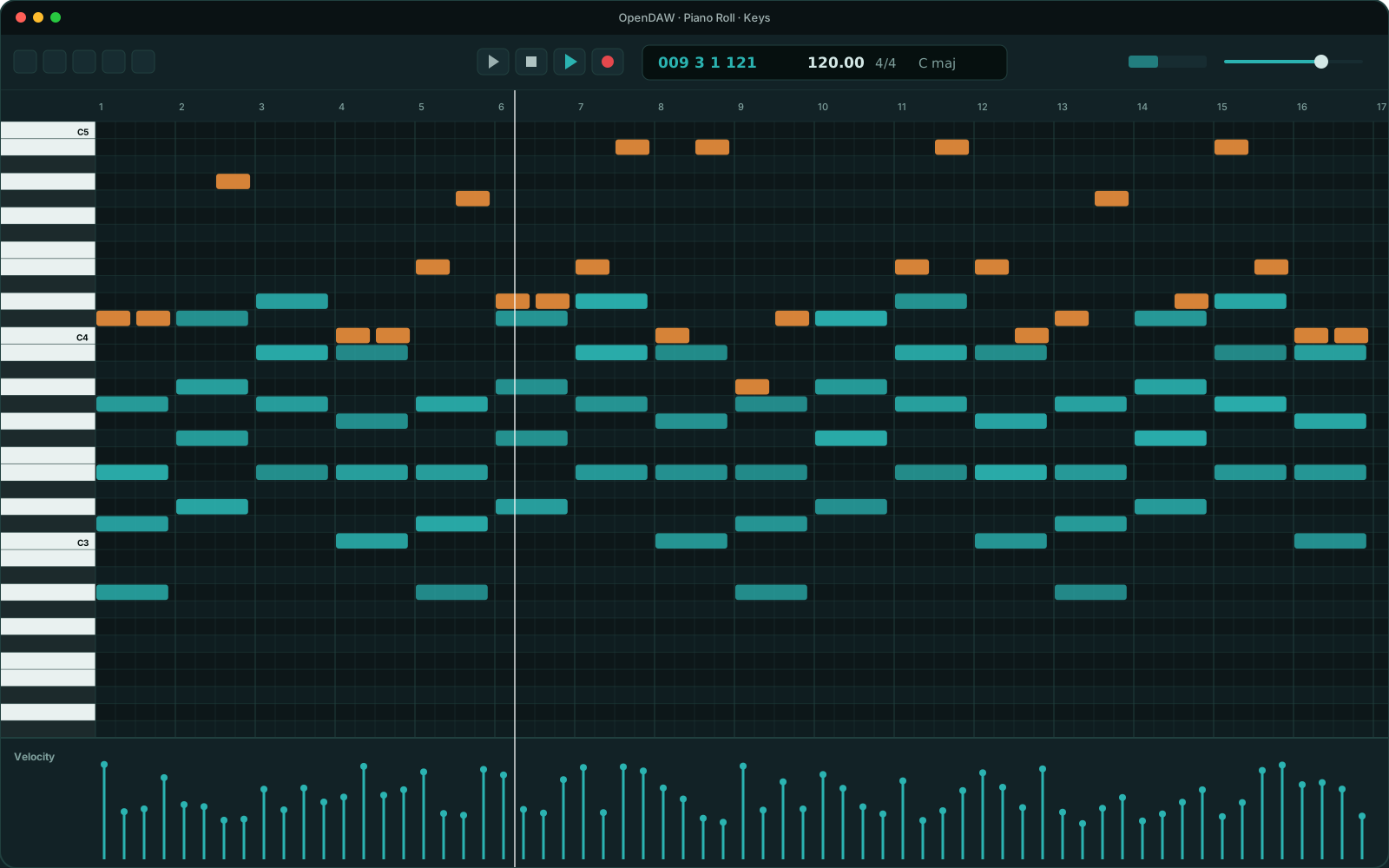
Piano roll
Illustration. Real screenshots coming soon.
Details
- Status
- In development
- Version
- 0.1.0
- Platforms
- Windows · macOS · Linux
- License
- GPL-3.0-or-later
- Pricing
- One-time purchase for the installer
Requirements
- Windows 10 or 11 (64-bit), macOS or Linux
- An audio interface with ASIO, WASAPI, CoreAudio, ALSA or JACK drivers (built-in audio works too)
- 8 GB of RAM recommended
Get notified when OpenDAW launches
We'll send one email at launch, plus beta invitations if you want them. Nothing else.